オススメ自社アプリ

Description
この画像には、UIラベルと機能がいくつか含まれています。
-
メインラベル: 「オススメ自社アプリ」と書かれており、特定のアプリをおすすめするセクションであることを示しています。このテキストは太字で視認性が高く、機能的な主題を簡潔に伝えています。
-
アイコン: ラベルの左側には、小さな植物のアイコンがあります。このアイコンは自然や成長を象徴しており、アプリの推薦内容に関連している可能性があります。
-
背景: 背景は暖かいオレンジ色で、リラックスした印象を与えています。この色合いは、ユーザーに親しみやすさや居心地の良さを感じさせるデザインで、画面全体に暖かい雰囲気を醸し出しています。
-
閉じるボタン: 右側には緑色の丸いボタンがあり、中に「×」マークがあります。このボタンは、ユーザーがこのセクションを閉じる機能を果たします。色使いと形状が目を引き、明確な操作を促します。
全体的に、UIは視覚的に魅力的で機能的であり、ユーザーに容易なナビゲーションを提供しています。
Software
のこのこキノコ
Language
Japanese
Created by
 matej94v
Sponsored
Similar images
audio design by
TOEM
The image features a clean and modern logo design for "RUMSKLANG," which is identified as an audio design entity. UI Labels and Features: 1. Logo Text...
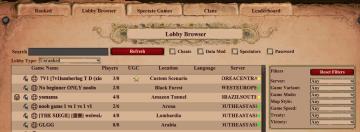
filters in multiplayer lobby: game mode, password, victory type
Age of Empires 2 Definitive Edition
The image features a user interface for a game lobby browser with a rustic theme. Search Bar: At the top, there's a search input field for players to find...
hole survived
Cursed to Golf
The image features a user interface (UI) label prominently displaying the text "HOLE SURVIVED" in bold, playful typography. The design employs a bright color pa...
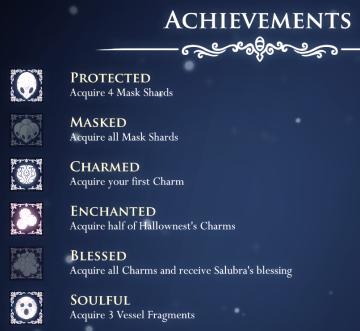
achievements
Hollow Knight
The image presents a user interface (UI) for achievements, likely from a video game, with a dark, mystical theme emphasized by a blue gradient background and or...
spiritfarer main menu, you can report bugs
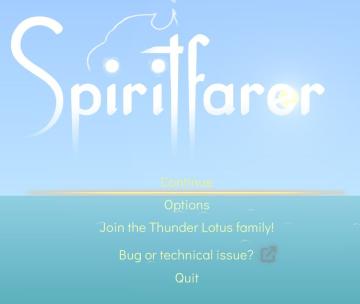
Spiritfarer: Farewell Edition
The UI features a serene gradient background, transitioning from light blue at the top to a deeper teal at the bottom, evoking a calm and inviting atmosphere. A...
incantations (concoct an incantation) screen, unlock game features
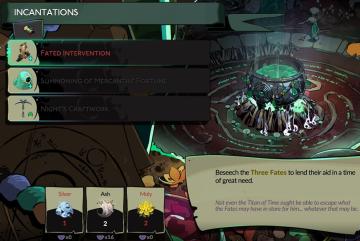
Hades II Early Access
The UI is divided into two main sections: the incantations and resource management. Incantations Section: The title "INCANTATIONS" is prominently displa...
main menu
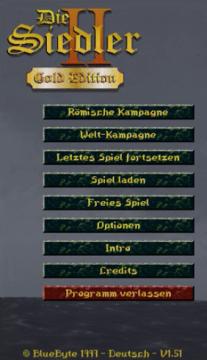
The Settlers II
Im Bild befinden sich die Benutzeroberflächenlabels und Funktionen des Spiels "Die Siedler II: Gold Edition". Am oberen Rand wird der Titel "Die Siedler II" i...
denní nebo týdení výzvy jako "najděte kost" nebo pořiďte fotografie
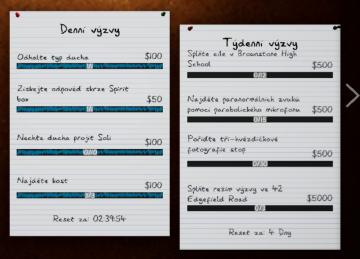
Phasmophobia
Na obrázku vidíme uživatelské rozhraní (UI) pro denní a týdenní výzvy. Rozhraní je rozděleno na dvě části, přičemž každá obsahuje seznam výzev. Levá část:...