セーブデータリセット

Description
この画像には、保存データをリセットするためのUIラベルがあります。「セーブデータをリセット」というテキストは、ユーザーに特定のアクションを促す重要な機能を示しています。
このラベルは、太くてはっきりとしたフォントで表現されており、視認性が高いです。背景は薄い色調で、ラベル自体はダークなボックス内に配置されています。右側には矢印が描かれており、操作の方向を示し、ユーザーがどこに注意を向けるべきかを視覚的に強調しています。このデザインにより、操作が直感的に理解しやすくなっています。
Software
Inscryption
Language
Japanese
Created by
 M S
M S
Tags
Sponsored
Similar images
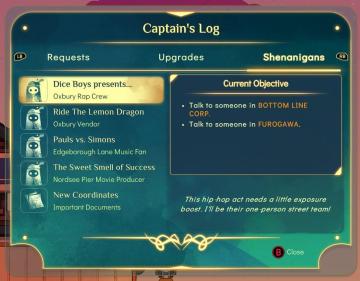
captain's log - shenanigans section
Spiritfarer: Farewell Edition
The user interface (UI) in the image displays a "Captain's Log" screen with several labels and functional elements arranged neatly. 1. Log Title: The titl...
settings categories: game, display, sound, accessibility..

Grounded
The user interface features a horizontal navigation bar labeled "OPTIONS" at the top. Below this, multiple categories are presented as clickable labels, includi...
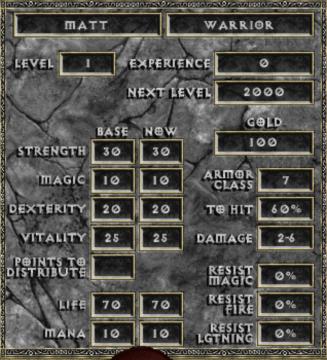
new game warrior stats
Diablo I
The user interface (UI) in the picture comprises several key elements focused on character statistics for a roleplaying game (RPG), presenting both functionali...
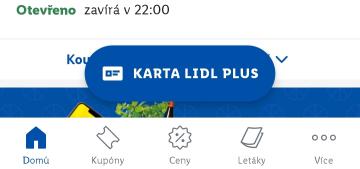
kupónová aplikace Lidl zobrazit kupónovou kartu
Lidl Plus
Na obrázku vidíme uživatelské rozhraní mobilní aplikace, pravděpodobně související s obchodem Lidl. 1. Hlavní barva a styl: Vizuální styl je moderní a čis...
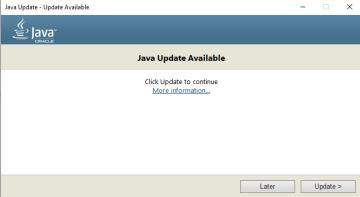
update available
java runtime
The UI presents a straightforward layout for a Java update notification from Oracle. Here's a breakdown of the labels and features: 1. Title Bar: Displays...
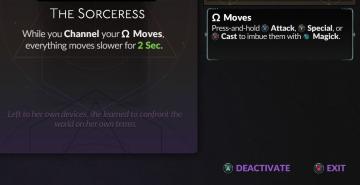
deactivate purchased card (power-up)
Hades II Early Access
The interface features a title that clearly identifies the character, "The Sorceress," emphasizing her role. Below the title, a descriptive text explains her un...
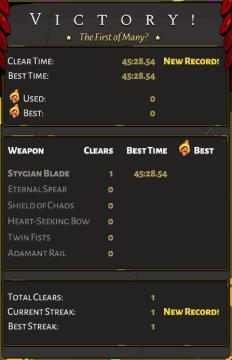
Victory overview
Hades
The UI in the image presents a victory screen from a game, featuring prominent labels and metrics that indicate performance achievements and progress. Here's a...
go out (start a new run)
Hades II Early Access
The image features a user interface element prominently displaying the label "Go Out." The text is rendered in a bold, yellow font, emphasizing its importance a...