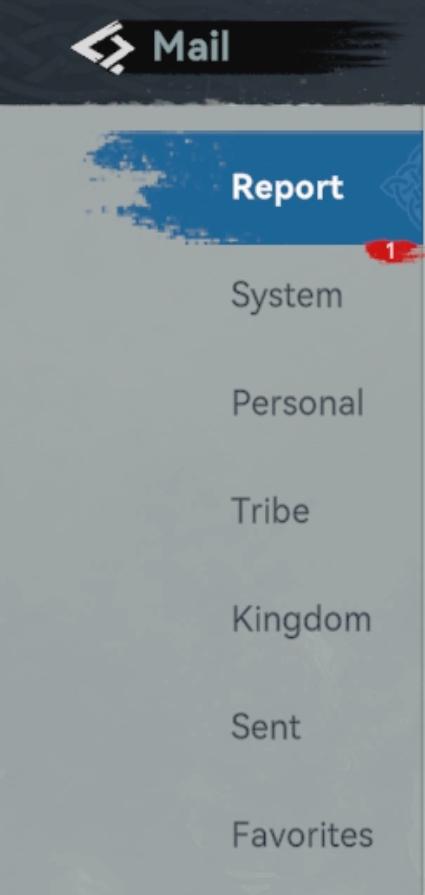
mail menu: report, system, tribe, kingdom, sent, favorited
Description
The UI in the image appears to represent a mail or messaging system, likely within a game or application. Here's a breakdown of the labels and features:
-
Mail Header: The top left of the interface shows a mail icon, indicating the section's primary function is related to messages.
-
Report Section: Highlighted prominently, "Report" suggests a special function for reporting issues or messages. The red circle with "1" indicates there is an unread report or notification.
-
Categories:
- System: Messages or notifications from the system, typically related to account management or updates.
- Personal: Likely for direct messages between users or personal notes.
- Tribe: This could refer to messages related to group activities or clan communications.
- Kingdom: Potentially messages relevant to guilds or larger group activities within the game's universe.
- Sent: A history of messages that the user has sent.
- Favorites: A quick-access section for marked important messages.
The overall form is clean and minimalist, using a straightforward layout with clear, legible text. The colors used (like the blue for the active category and the red notification) help guide the user's attention to important functions and unread items. This design enhances usability by providing intuitive navigation through various message categories.
Software
Viking Rise
Language
English
Created by
 matej94v
Sponsored
Similar images
gamepad settings
TOEM
The interface presents a typical Options menu layout, commonly found in games, designed to allow users to tailor their experience. 1. Header: Clearly la...
music player
LISA: The Painful - Definitive Edition
The UI features a simple, darkthemed layout that emphasizes clarity and ease of navigation. It consists of several key elements: 1. Title and Progress Bar...
select level forest temple survive once to unlock play
20 Minutes Till Dawn
The user interface (UI) in the picture features labels and elements that are clear and functionally oriented, enhancing the user experience in a gaming context:...
insufficient resources: buy and use
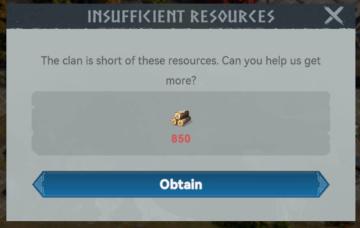
Viking Rise
The UI in the image presents a modal dialog that informs the user of a resource shortage within a clan. Here’s a breakdown of its features and functions: 1. ...
objective updated
Maid of Sker
The UI in the image features a notification indicating that the objective has been updated. Function: The exclamation mark inside a diamond icon serves...
解消度、画質、明るさ設定
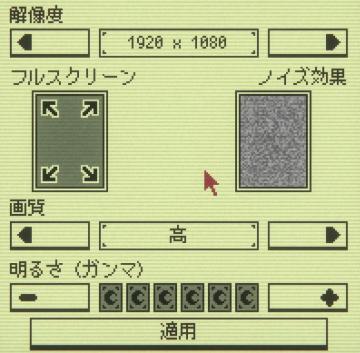
Inscryption
この画像には、さまざまなUIラベルと機能が表示されています。 1. 解像度: スライダーと数値ボックスがあり、解像度の設定を行うことができます。1920 x 1080の解像度...
achievements
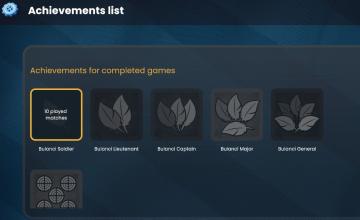
Bulanci
The image showcases a user interface (UI) dedicated to displaying achievements for a gaming application. Here’s a breakdown of its labels and features, emphasiz...
can you survive?
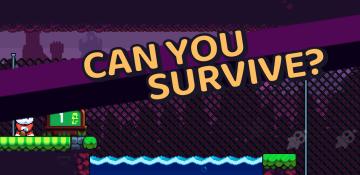
Cursed to Golf
The image features a gaming interface designed with a vibrant, playful aesthetic. Key UI elements include: 1. Main Text: "CAN YOU SURVIVE?" This prominen...