rest on bench
Description
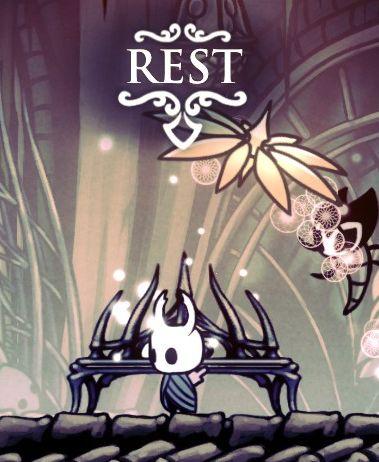
The UI features a prominent label that reads "REST" at the top, designed in an ornate font that conveys a whimsical and fantasy aesthetic. The label is centrally positioned and serves as an indicator of the action the player can perform in this context, suggesting a safe space where the character can rest.
Beneath the label, the character is shown in front of a bench-like structure, which is outlined in a simple yet stylized manner, with several spikes protruding, enhancing the game's gothic atmosphere. The surrounding elements include soft, glowing particles that contribute an ethereal effect, indicating a tranquil environment.
The overall color palette appears muted, with shades of blues and greys, while highlights in the environment are more vibrant, drawing attention to the key action of resting at the bench. Additionally, there are organic shapes, possibly representing flora or spirit-like entities, which enhance the magical feel of the scene. This UI serves not only functional purposes in guiding the player but also immerses them in the game's artistic realm.
Software
Hollow Knight
Language
English
Created by
 M S
M S
Tags
Sponsored
Similar images
in-game main menu, load, save, restart
Age of Empires 2 Definitive Edition
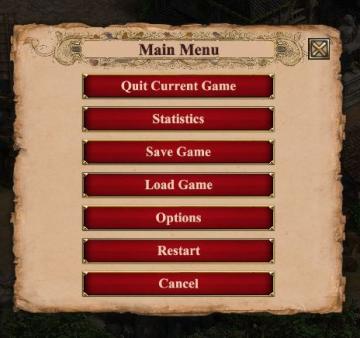
The interface presents a Main Menu with a classic, vintage aesthetic, highlighted by ornamental borders and a textured background. The menu features a centraliz...
you must be resting on a bench to equip a charm
Hollow Knight
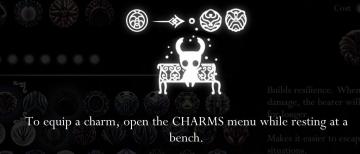
The image displays a user interface (UI) related to equipping charms in a game. Main Icon: At the center, there is an icon resembling a stylized charact...
lobby browser: join lobby, create lobby, restore

Age of Empires 2 Definitive Edition
The user interface presents several buttons and a notification regarding gameplay options. Buttons: 1. Return to Main Menu: This button, highlighted i...
reset game with English (restart game in selected language)
Inscryption
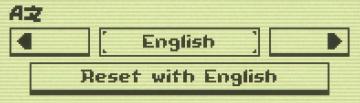
The UI features a minimalistic design with clear labels and simple functionality. 1. Language Selection Area: The top section shows "AZ," likely indicatin...
locator, nearest hospitals, emergency contacts
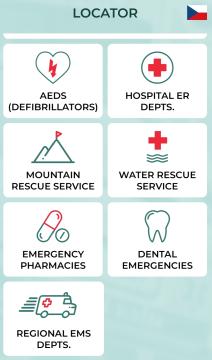
Zachranka
The UI presents a clean and organized layout categorized under the title "LOCATOR," with a flag icon indicating language or location (Czech Republic). Each feat...
select level forest temple survive once to unlock play
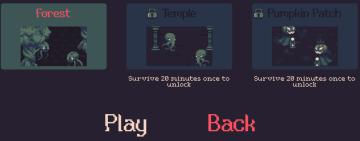
20 Minutes Till Dawn
The user interface (UI) in the picture features labels and elements that are clear and functionally oriented, enhancing the user experience in a gaming context:...
restore magick
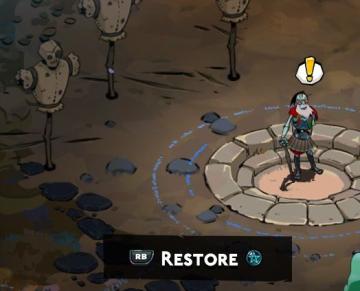
Hades II Early Access
The UI in this image features a central action prompt for a character in a game, with a clear focus on functionality. Restore: This label indicates a sp...
unlock the "The Unseen" (restore magick) card power-up
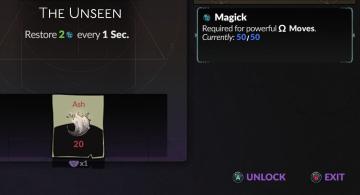
Hades II Early Access
The interface features a dark background that emphasizes the elements presented. At the top, the title "The Unseen" is prominently displayed, indicating the cur...